

New here?
How LexContinuum works
A short guide to every part of the app, with pictures, so you know where things are and how to get the most out of them from your first day.
Your first day in five steps
- 1
Create your account
Register with your email or Google. You start with a free 24-hour trial of Research and Kenya Law Live, and a free plan after that.
Go to this step → - 2
Learn the layout
A menu on the left, a bar across the top. Two minutes here saves hours later.
Go to this step → - 3
Ask your first question
Research & Case Law answers with the authorities it used, and shows them.
Go to this step → - 4
Turn findings into a document
Draft the plaint, affidavit, letter or contract in the AI Drafting Studio and export it.
Go to this step → - 5
Run the practice
Clients, matters, deadlines, billing and fee recovery in one connected place.
Go to this step →
Finding your way around
Everything is reached from the menu on the left and the bar across the top. They look the same on every page.
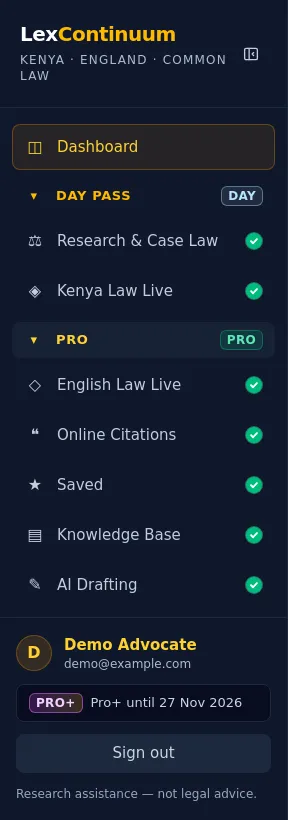
The menu
- Dashboard is your home: your matters, drafts and what is coming up.
- The groups open and close when you click them. The group with the page you are on opens by itself. A small PRO or PRO+ tag marks what needs a higher package (click it to see what you would get), and a coloured dot means it is already in your plan.
- Plan & Receipts is where you upgrade, and where your receipts are kept.
- On a phone the menu slides in from the left: tap ☰ to open it.
The top bar

- Back and forward arrows take you to the pages you were just on. Forward appears only after you have gone back.
- The bell shows reminders for hearings and deadlines.
- History lists your recent searches so you can run one again. It keeps the question only, never the answer.
- Your name and plan show who you are signed in as and what you have.
Your dashboard
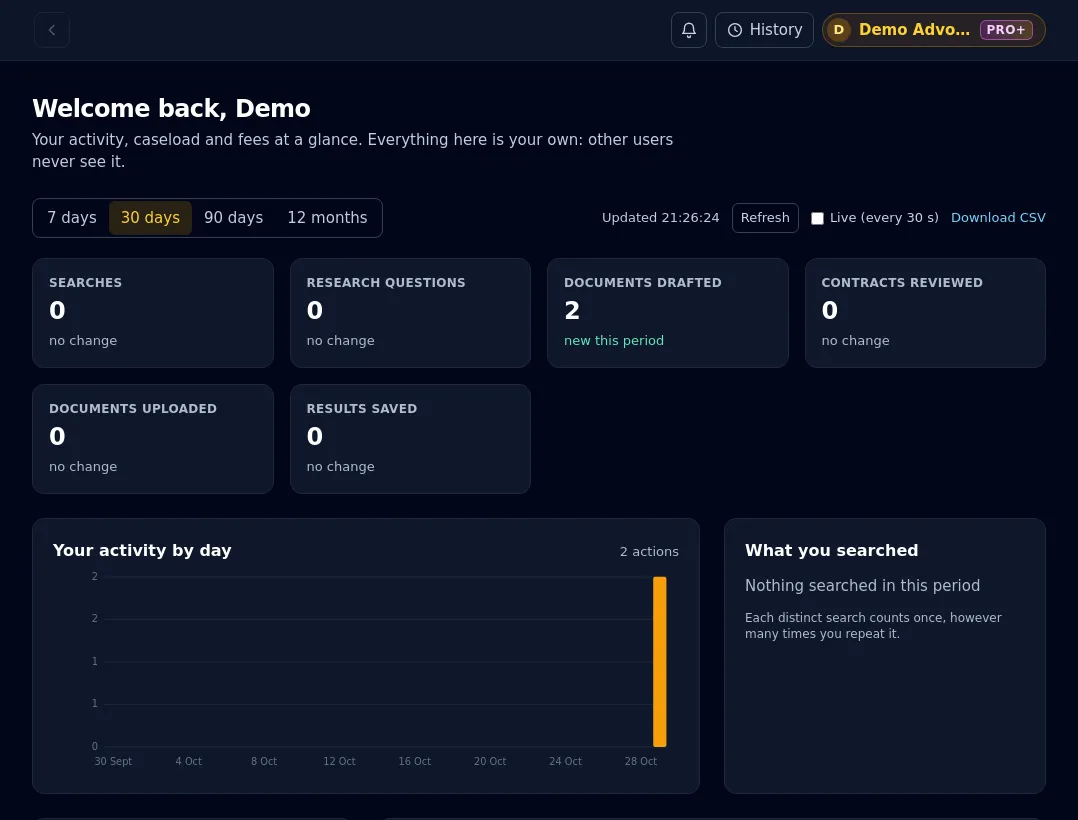
The first thing you see after signing in. It shows only your own work: how your matters stand, your upcoming hearings and what you have been doing, so you know where to pick up.
Find it: Menu → Dashboard
- Upcoming hearings and deadlines in the next weeks.
- Your matters by status, drafts, uploads and saved results.
- Charts for the period you choose: 7 days, 30 days, 90 days or 12 months.
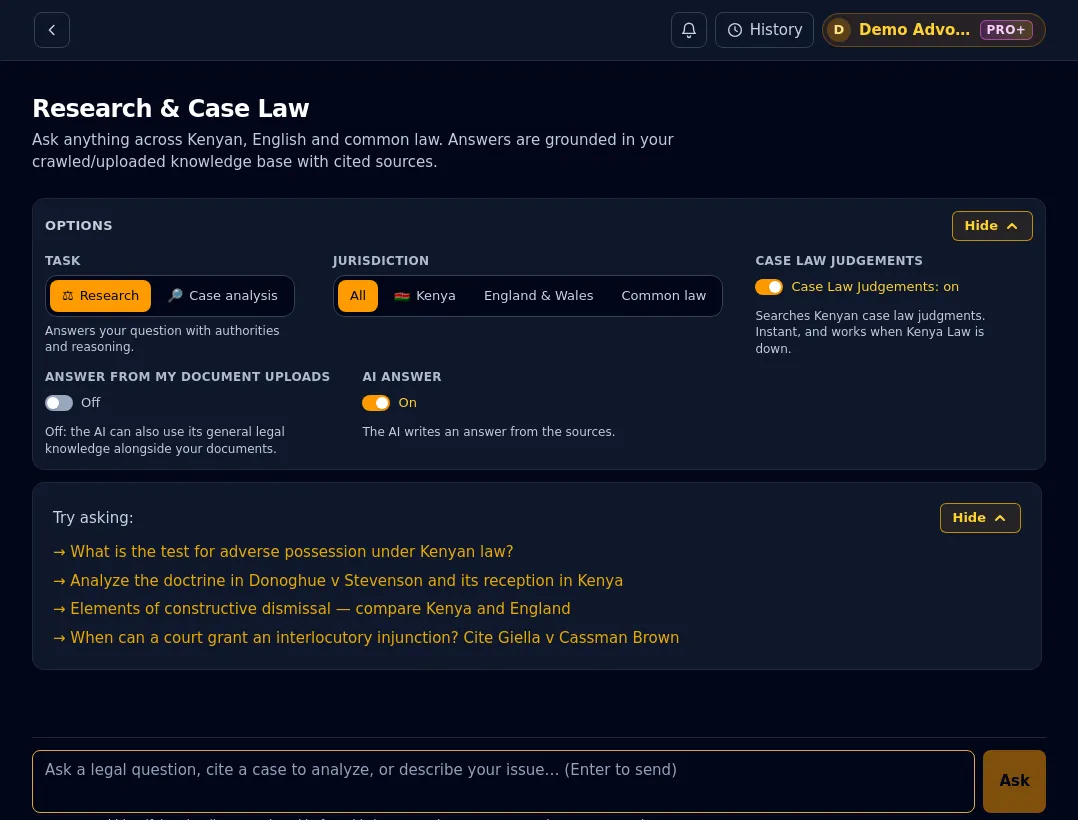
Research & Case Law
Ask a legal question in your own words. The answer is built from the authorities in the case-law library, and the passages it relied on are shown next to it so you can check them.
Find it: Menu → Research & Case Law
- Choose Research for an answer with reasoning, or Case analysis to break a case into facts, issues, holding and reasoning.
- Narrow by jurisdiction: Kenya, England & Wales, or common law.
- Switch on Case Law Judgements to include Kenya Law's saved judgments, and Answer from my document uploads to answer only from your own documents.
- Download the answer as Word or PDF, with citations linked to the official sources.
Tip: Cite the case you care about in your question (for example "Giella v Cassman Brown") and ask what you need from it.
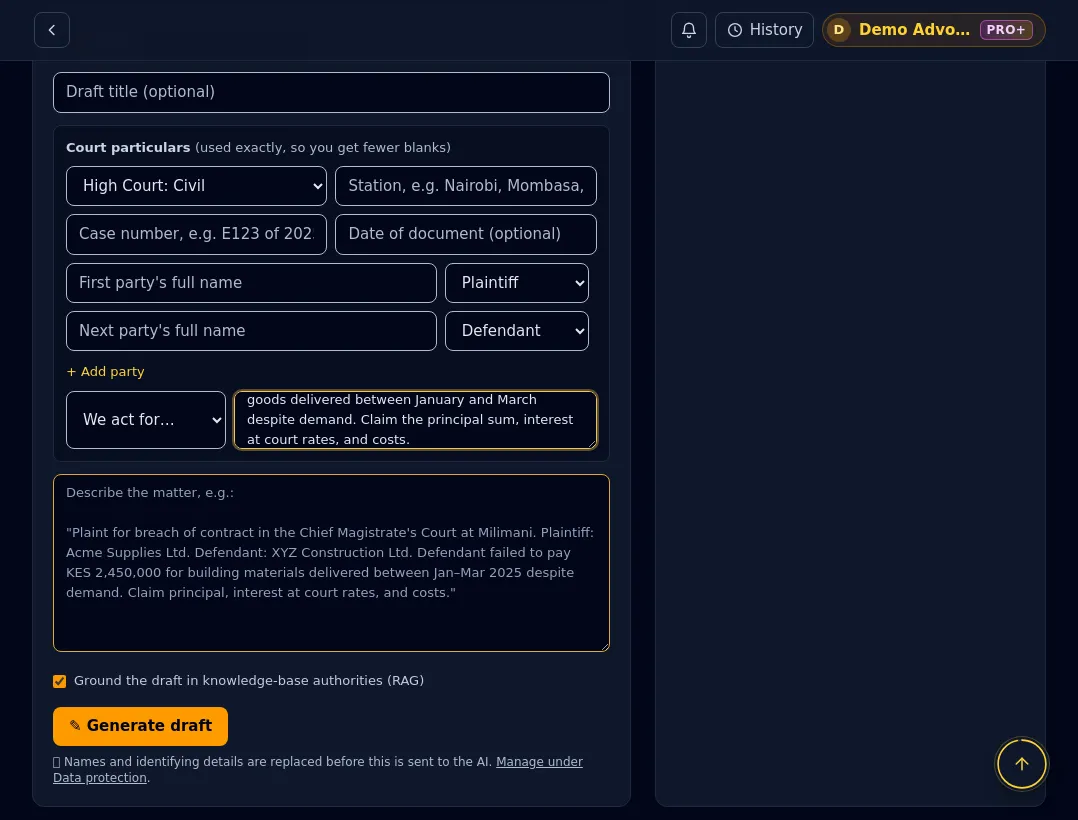
AI Drafting Studio
Pick a document, describe the facts, and get a complete draft in the conventions of the court or office. Edit it, then download it in your firm's template.
Find it: Menu → AI Drafting
- More than 160 Kenyan document types: pleadings, affidavits, notices, agreements, letters and more.
- For court documents, fill in the court, parties and who you act for, and the layout is built for you.
- Review a contract clause by clause, with a risk rating and suggested wording.
- Set up your firm's template once (letterhead, signature, stamp) and every download uses it.
Tip: Download what you need before you leave: drafts are deleted automatically after seven days unless you attach them to a matter.
Clients and matters
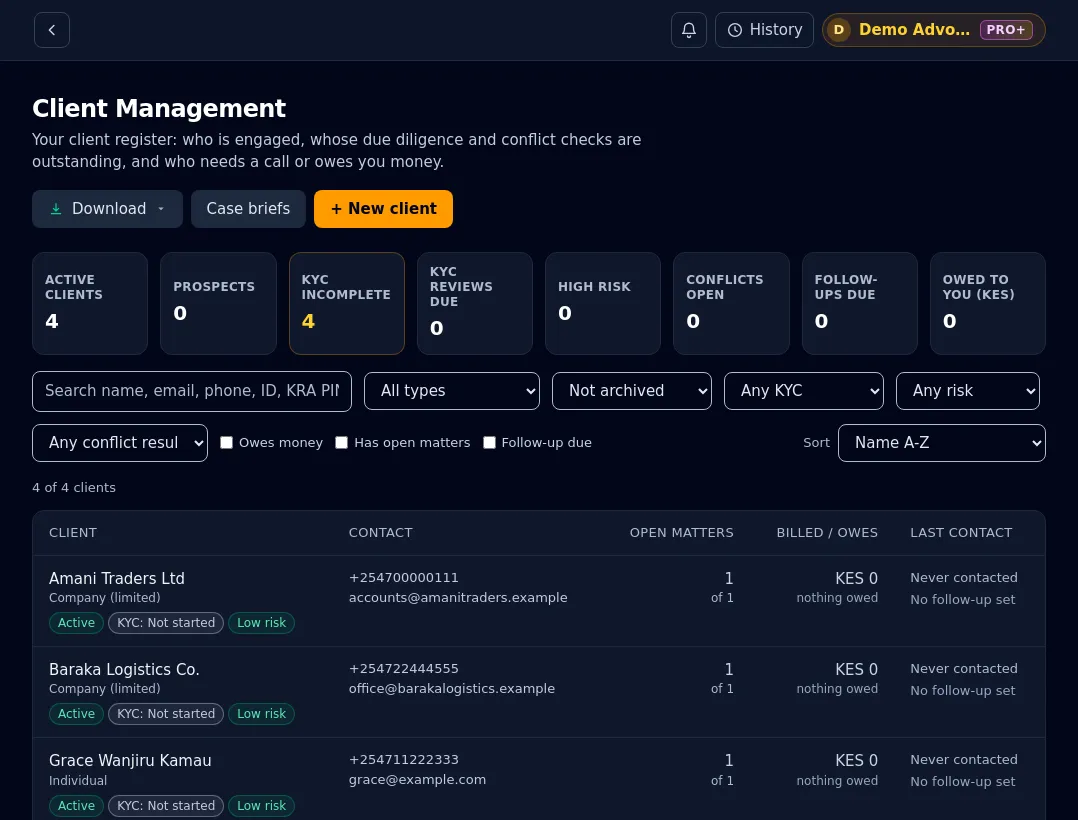
Keep every client and matter in one place. A client record holds their details and the conflict check; a matter holds the parties, court, stages, hearings and documents.
Find it: Menu → Client Management, then Matter Management
- Add clients as individuals or organisations, with identification, contact details and notes.
- Open a matter from a client, with checklists, deadlines on your calendar and a timeline of what happened.
- Attach drafts and documents to the matter so everything about the case is together.
- Everything here is private to your account.
Tip: Add the client first, then open the matter from their file: the details carry across so you type them once.
Matter management
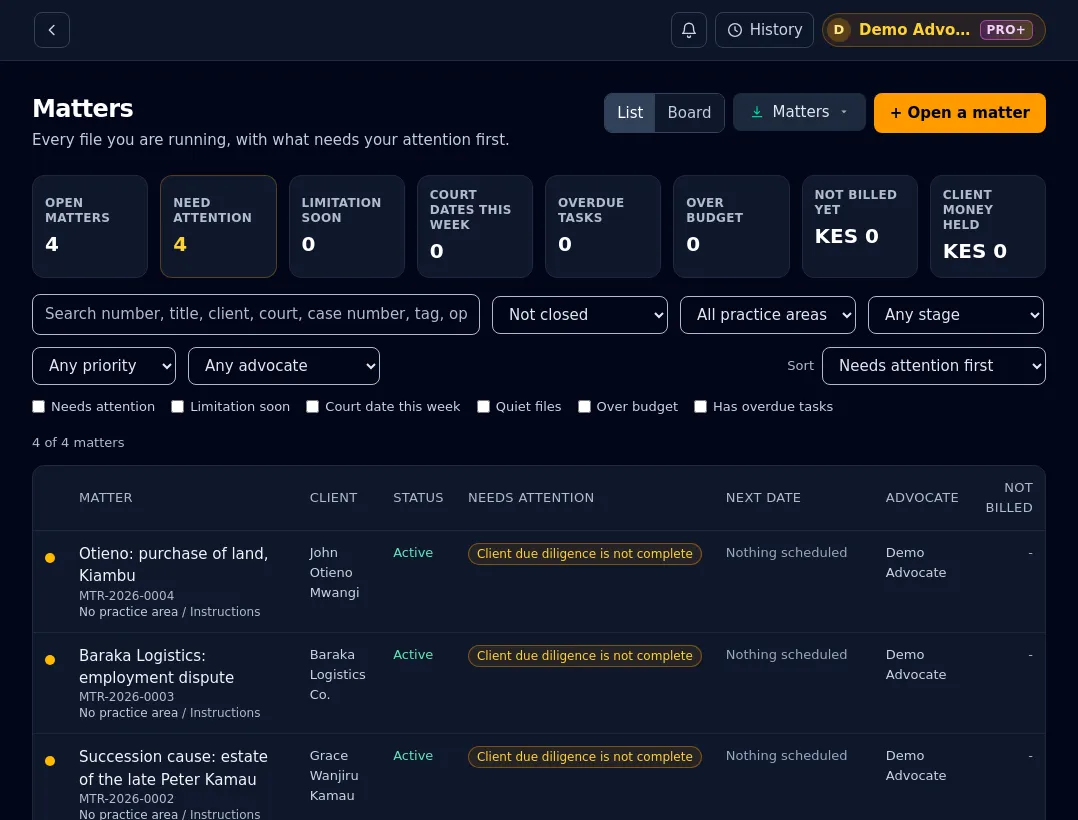
Follow a matter from instruction to closure: stages, hearings, deadlines, documents, time and money.
Find it: Menu → Matter Management
- See open matters, their stage and what is due next.
- Hearings and deadlines appear on your calendar with reminders.
- Time and expenses on a matter flow into billing.
- A conflict check before you act, and a warning before you close a matter with money outstanding.
Tip: Open a matter as soon as you are instructed: deadlines and checklists start working for you from day one.
Cost Planning and fee recovery
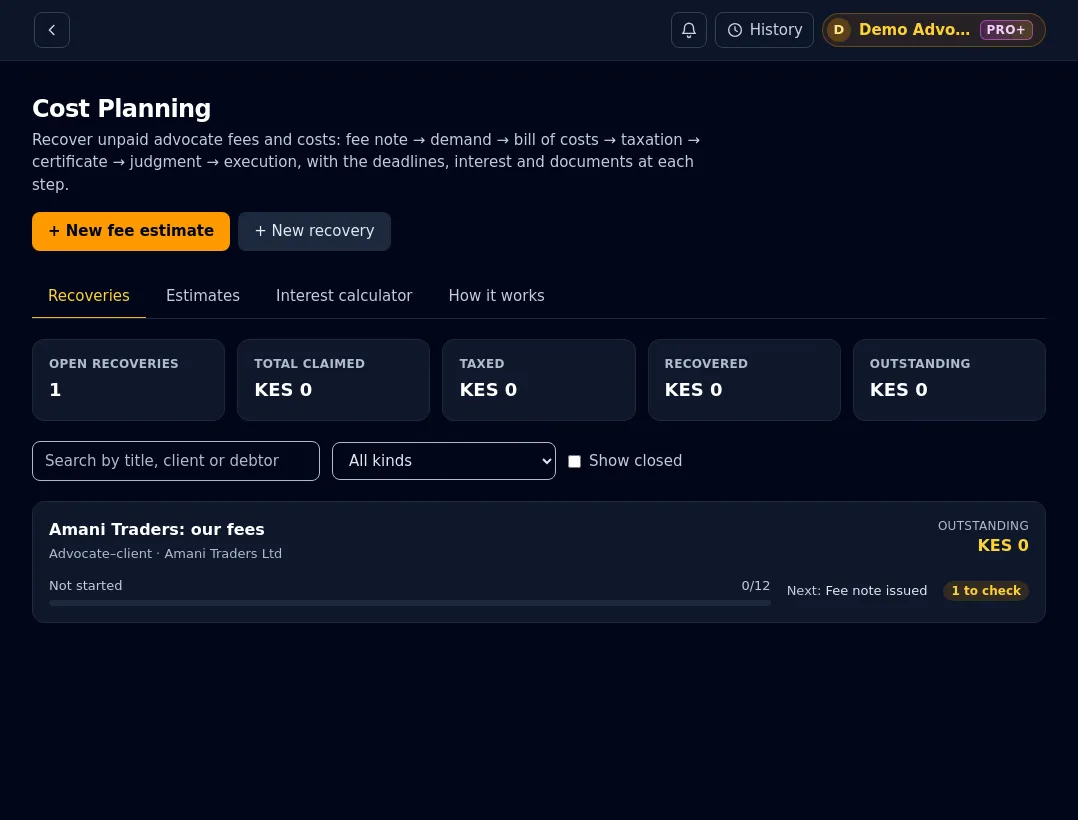
Plan what a matter will cost before you start, and recover your fees properly afterwards: the bill of costs, taxation, the certificate and the steps in between.
Find it: Menu → Cost Planning
- Fee estimates a client can approve, then tracked against what you actually bill.
- Recovery routes for your fees from a client, party-and-party costs, another advocate, or an ordinary debt.
- Each route shows the steps, the dates that matter, and builds the documents.
- Lines can come straight from the Remuneration Calculator.
Tip: Start an estimate when you take instructions. It is the easiest way to avoid a fee dispute later.
Remuneration Calculator
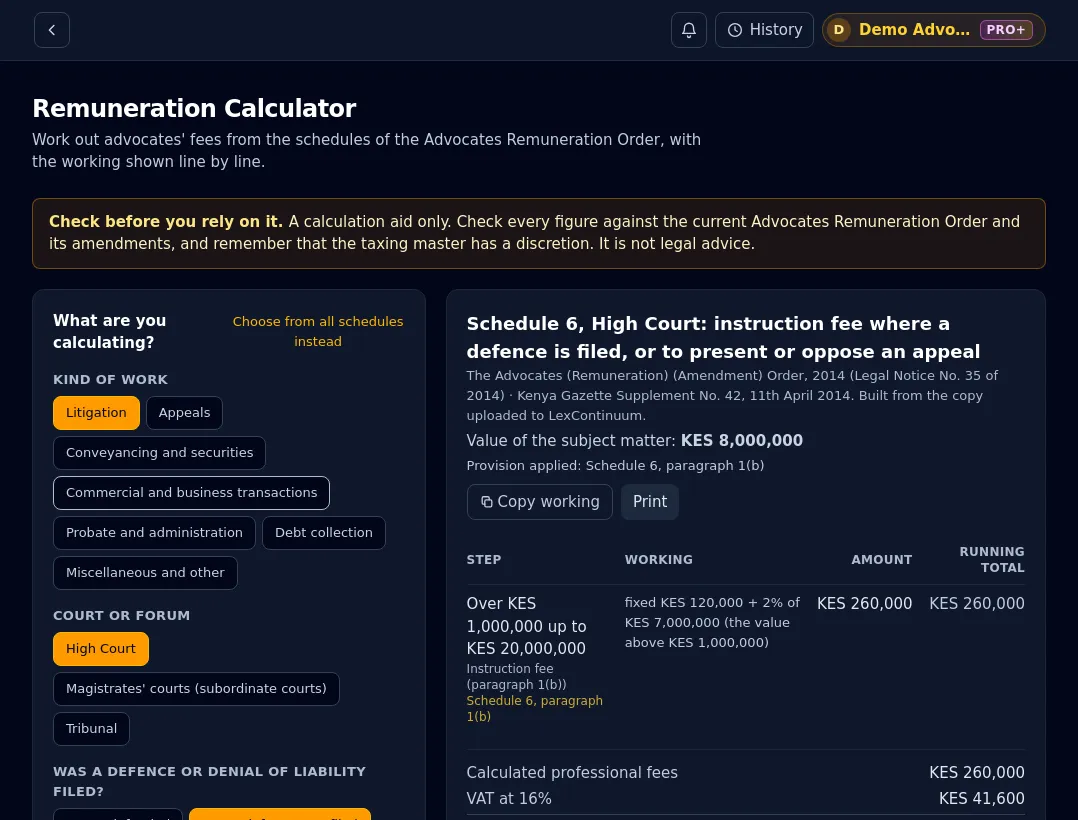
Work out advocates' fees from the schedules of the Advocates Remuneration Order, with every step of the arithmetic shown and the provision it comes from.
Find it: Menu → Remuneration Calculator (Bonus)
- Answer a few questions (the kind of work, the court, whether a defence was filed) and the right schedule is found for you.
- See the working line by line, with a running total, VAT and disbursements.
- Add the result to a bill of costs or an estimate in one click.
- It is a calculation aid: the advocate checks every figure against the Order.
Tip: Use "Add to a bill of costs or estimate" so the working travels with the figure.
Getting the most out of it
- 1Start with the free trial: ask real questions from a current matter, not test ones.
- 2Upload the judgments and statutes you rely on to the Knowledge Base, then turn on Answer from my document uploads.
- 3Use History (top bar) to run an earlier question again: it keeps only the question, never the answer.
- 4Hide the side menu (the panel icon at the top of the menu) when you want more room to read.
- 5Set up your firm's template once, and every document you download carries your letterhead.
- 6Check every authority before you rely on it. Disclaimer: LexContinuum is a research aid, not legal advice.
Your data stays yours
What you enter in the app is visible only to you, and no other LexContinuum user or administrator has a way to open it. Names and identifying details are replaced before anything is sent to an AI provider. Read the Privacy Policy for the detail.
Ready to try it?
Create an account and start with a free 24-hour trial of Research and Kenya Law Live.